

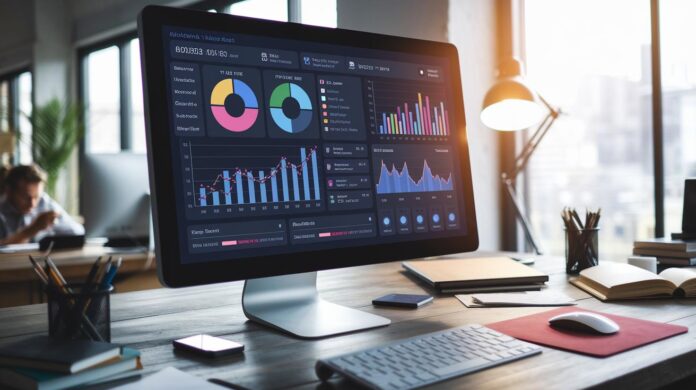

Ever wonder how big companies keep everything running smoothly? An ERP system works like a smart control hub that connects sales, finance, HR, and more all in one spot. It lets teams share the latest information easily so they can get answers in no time. This setup cuts down on manual tasks and keeps work flowing without a hitch. In this post, we break down how ERP systems simplify business management, letting you focus on growth and smarter decisions.
what is an ERP system: Smart, Simple Insight
Imagine an ERP system as the business brain that links all the important parts like sales, marketing, finance, HR, inventory, purchasing, and even forecasting into one neat platform. It’s like a central control panel where every team plays in harmony, making it easy to see what’s happening across the board.
Instead of juggling lots of manual tasks, an ERP system uses one shared database so every department gets the real-time info they need. That means decisions can be made quickly and smoothly, keeping everything running without a hitch.
And hey, ERP isn’t just fancy accounting software. It covers a whole range of tasks that help businesses run better every day. When everyone works with the same set of data, you save time and dodge the hassle of hunting for answers. It’s all about making the work smoother and spotting any hiccups early on.
By gathering all your data in one spot, ERP systems lay the foundation for smarter growth and decision-making. Big names like SAP, Oracle Fusion Cloud ERP, Microsoft Dynamics, and NetSuite prove that a little integration can go a long way in boosting performance and simplifying daily operations.
Exploring Key ERP Components and Architecture

An ERP system is made up of different modules that each handle a main business function. Think of each module like a part of a well-tuned machine, finance, procurement, manufacturing, human resources, customer service, supply chain, and analytics all work together by sharing one central database. This central hub makes sure every team sees the same updated data right away. For instance, when the finance module tracks spending, the human resources module can instantly update employee records.
The system is designed to be flexible, so companies can add or change features without redoing everything. It’s like having a toolbox where every tool fits perfectly with the others, allowing for easy tweaks. The setup even supports linking with extra tools from outside the company. Trusted frameworks, such as service oriented architecture (a method that lets parts of a system talk to each other), help each part communicate smoothly. Middleware (software that connects different programs) further strengthens these links, making it simple for the system to grow or adapt as business needs change.
Data management is at the heart of how ERP works. Since every module pulls from one reliable data source, mistakes are rare and updates happen fast. Imagine a sales module that logs a new order and automatically updates the inventory, procurement, and finance modules in moments. This seamless flow of accurate information means teams aren’t bogged down by chasing data, allowing them to focus on making the business better every day.
ERP System Features and Benefits for Businesses
ERP systems make work life a whole lot easier for companies. They find the slow spots, automate tasks, and give real-time data that helps you make smarter decisions. For example, a business might boost its productivity by 20% almost overnight with ERP automation. Pretty cool, right?
They also help improve accuracy. When everyone uses the same shared database, all departments see the newest numbers instantly. This cuts down on mistakes and builds trust in the data. So, while the finance team gets fresh sales figures, HR keeps employee records up to date without any manual hassle.
ERP systems boost teamwork too. When every part of the company, from buying to customer service, has current information, collaboration naturally improves. Imagine sales and inventory syncing automatically; it keeps the whole operation smooth and ready for action. The system’s dashboards and reports not only show what’s happening now but also point to future opportunities.
And then there’s scalability. As your business grows, ERP systems let you add new users or modules easily. This means fewer interruptions and less stress when you expand, so your team can focus on innovation instead of fighting fires.
- Increased operational efficiency
- Streamlined processes through automation
- Real-time data for improved accuracy
With these benefits, ERP systems do more than just simplify daily tasks, they build a solid foundation for steady growth and lasting success.
Comparing ERP Deployment Options: Cloud, On-Premise, and Hybrid

Cloud-based ERP systems run on third-party services like AWS or Azure, meaning you access your system online. This setup lets you work remotely, with the vendor taking care of the heavy lifting. It also means you pay a subscription fee instead of a huge upfront cost. Fun fact: more companies are moving to cloud ERP because they love the freedom of accessing data from anywhere without fiddling with physical servers.
On-premise ERP, meanwhile, lives on your own local servers. That means you invest more at the start since your team takes care of the hardware and upkeep. But there’s a bright side, you get full control to tweak and tailor the system exactly as you need it. If your company has specific processes that need a custom touch, on-premise might be just right.
Hybrid ERP mixes the best of both worlds. It keeps sensitive data safe on local servers while using cloud services for other parts of the system. This way, you protect the most important info while still enjoying the cloud’s ease and cost benefits for less critical functions.
- Cloud ERP gives you remote access and cuts down on big initial hardware expenses.
- On-premise ERP puts you in full control, offering the freedom to customize as you like.
- Hybrid ERP blends local security with cloud flexibility for select tasks.
Each model comes with its own set of trade-offs. Your choice really depends on your business size, customization needs, and budget. Take a moment to think about what fits your operations and IT team best before moving forward.
Planning and Implementing an ERP System: Roadmap and Costs
A smooth ERP rollout starts with a solid plan. Imagine the team coming together to review your current process, spotting where things slow down, like manually tracking orders, and then setting clear goals for a system that brings everything together. Think of a manufacturing firm that once spent endless hours fixing mismatched data from different systems, only to see production slow down.
In the beginning, planning is your first big step. Here, you figure out exactly what you need and map out a clear plan. You bring together people from every part of your business so every voice is heard. Next up is the design stage. This is where the crew sketches out how the new system should look and work, making sure it fits your specific needs. It’s like planning a road trip, you decide on the best route (workflow) and mark the must-see stops (priorities).
Then comes development. This is where everything starts to take shape as any needed custom touches are built in. Soon after, testing offers a chance to catch any hiccups before the final launch. Each part of the process is important, especially when you’re moving data from an old system and helping your team get comfortable with the new way of doing things.
Here’s a quick rundown:
| Phase | Focus |
|---|---|
| Planning | Review needs, set scope, and involve a diverse team |
| Design | Sketch system layout and set the priorities |
| Development | Build or tweak the ERP framework |
| Testing | Ensure everything works smoothly |
| Rollout | Launch with good support and watch closely |
Costs usually depend on licenses for users, computer resources, and additional modules. It’s important to assess who’s going to use the system and how much capacity is needed. Of course, challenges like user training and change management can crop up, but pairing up with a trusted vendor and solid project management can keep things on track.
Overall, mixing smart planning, careful budget checks, and hands-on training builds an ERP system that keeps your operations smooth and efficient.
Future Trends and Innovations in ERP Technology

ERP tech has come a long way since the MRP days of the 1960s. Today’s systems serve up smart data management and AI-powered insights (think of it as a digital brain that makes tough tasks easier). And with mobile apps and SaaS options, teams can grab live updates wherever they are.
Imagine a factory where sensors constantly share real-time details. Managers can jump on issues right away. This is real-time business intelligence in action, powered by the Internet of Things (where smart devices share live info) and uniting all parts of the business.
User-friendly dashboards are taking center stage too. Even team members who aren’t tech experts can use advanced features easily. Open-source and customizable ERP options let companies tailor systems to fit their exact needs, like building a custom smartphone with the exact features you love.
In the near future, ERP systems are set to become even smarter, more responsive, and agile. They’re not just about managing data anymore; they help companies adapt and thrive in a fast-changing world. This shift is paving the way for a more connected and efficient future.
Final Words
In the action, we explored the core purpose of ERP systems, their main components, and how module integration boosts efficiency. We walked through the benefits of improved data accuracy and real-time insights, and outlined options like cloud, on-premise, and hybrid deployment. We touched on planning, costs, and the roadmap for implementation, and looked at future innovations. This recap serves to clarify what is an ERP system while highlighting practical steps forward. It's all about embracing smarter tech for everyday business wins.
FAQ
What are some examples of an ERP system?
ERP system examples include SAP, Oracle Fusion Cloud ERP, Microsoft Dynamics, and NetSuite. These platforms integrate functions like finance, human resources, sales, and inventory management.
What is an ERP system in accounting?
An ERP system in accounting combines financial processes such as bookkeeping, payroll, and reporting into one platform, reducing manual work and improving data accuracy.
Is SAP an ERP system?
SAP qualifies as an ERP system by offering integrated modules that manage business areas like finance, supply chain, and human resources under one unified platform.
What is an ERP system in manufacturing?
An ERP system in manufacturing connects production planning, inventory management, and supply chain processes, providing real-time insights to boost operational efficiency.
What is ERP and how does it work?
ERP stands for Enterprise Resource Planning and works by consolidating data across various business departments into a single system, enhancing reporting and decision-making.
What is ERP therapy?
ERP therapy is a treatment method in psychology known as Exposure and Response Prevention, helping individuals gradually face their fears to reduce anxiety.
Is Oracle an ERP system?
Oracle offers ERP solutions that integrate finance, procurement, and project management, creating a unified platform to support a range of business operations.
Is Salesforce an ERP system?
Salesforce is primarily a customer relationship management (CRM) platform that focuses on sales and marketing, rather than serving as a full ERP system.
Is QuickBooks an ERP system?
QuickBooks functions mainly as accounting software, handling basic financial management tasks and lacking the broader integration across departments seen in ERP systems.
What is the difference between an ERP and a CRM?
An ERP system streamlines various business processes like finance and supply chain, while a CRM primarily focuses on managing customer interactions and sales pipelines.
Is Microsoft 365 an ERP system?
Microsoft 365 is a suite of productivity and collaboration tools. It does not manage core business functions like finance or inventory, which are typical of ERP systems.