



Have you ever wondered if a budget streaming device can deliver high-quality video? The Xumo Stream Box thinks so. It shows clear pictures up to 2160p and easily shifts between different services.
Imagine upgrading your movie nights with smooth, crisp visuals. It’s simple to set up using Wi-Fi or even a fast Ethernet cable. Plus, you get a mix of live shows and free on-demand content.
Maybe this is the quick and easy way to lower your cable bill.
How the Xumo Stream Box Delivers on Performance and Free Content
The Xumo Stream Box is built to give you outstanding video quality. It streams videos in up to 2160p at 60 Hz, so you see very clear and sharp images every time you watch. Imagine enjoying your favorite shows with every detail popping on screen, even when you switch between different providers like Spectrum TV, Xfinity Stream, Contour TV, and Xtream TV. It really makes movie nights feel smooth and seamless.
The device keeps things simple with choices for connecting to your network. You can use Wi-Fi for a quick setup or plug in a Gigabit Ethernet cable for a steadier connection. This flexibility means you can pick what works best for your home and still enjoy fast, high-quality streaming even when lots of devices are online.
- Xumo Play brings a mix of live and on-demand shows.
- Pluto TV lets you watch live TV channels without any extra cost.
- Tubi offers a wide range of movies and TV shows for free.
- Freevee provides even more free streaming options.
All in all, the blend of clear, high-resolution video and a rich selection of free content makes the Xumo Stream Box a smart pick if you want to cut down on your cable bill. It offers a modern streaming experience that fits your budget while letting you enjoy the entertainment you love.
Evaluating the Xumo Stream Box’s Design and User Interface

The Xumo Stream Box sports a compact design that blends easily with any media setup. Its size sits right between bulky cable boxes and tiny streaming dongles, making it a smart pick for tight spaces. The build feels practical and sturdy, designed for daily use without drawing too much attention.
The remote, though, leaves something to be desired. Compared to an Apple TV remote, its button layout feels a bit clunky and less polished, which might make you wonder about its overall ease of use. And the battery life? It isn’t anything to cheer about either. You might catch yourself wishing for smoother, more intuitive handling when changing channels or browsing content.
Navigating the interface can also test your patience. Sometimes, the app icons take up to 15 seconds to fully react when you tap them, which interrupts your flow. This slow response time makes switching between different shows or apps a bit frustrating, suggesting that while the hardware looks appealing, there's still room to improve the overall user experience.
Setting Up the Xumo Stream Box: Activation and Connectivity Guide
Unboxing the Xumo Stream Box is a breeze. Just open the box and you’ll find an HDMI cable ready for you to plug into your TV. This smart design means no messy coaxial cables, everything stays neat, and you’re set up quickly to enjoy clear 2160p at 60 Hz streaming and cable TV replacements.
Here’s what to do:
- Power up the box and connect the provided HDMI cable to your TV.
- Pick your Wi-Fi network if you’re set on a wireless connection, or use an Ethernet cable for a steadier setup.
- When the device boots up, you’ll see an activation code on-screen, type it in.
- Log into the Spectrum TV and Xfinity Stream apps that come pre-installed.
- Sign into any premium service apps you want to link to your subscriptions.
After these steps, your Xumo Stream Box should be ready to roll. Sometimes, though, things can slow down if you accidentally type the wrong Wi-Fi password or mis-enter the activation code. It really helps to double-check everything as you go. A handy tip is to keep your Wi-Fi details written down or saved on your phone so you don’t have to keep re-entering them.
And if you have any hiccups with signing into premium services, just be patient and try again; the remote might just be a bit slow to catch up. Taking it step-by-step and verifying each connection makes sure you’re on track for a smooth, easy streaming experience.
Comparing Xumo Stream Box with Roku, Fire TV Stick, and Apple TV
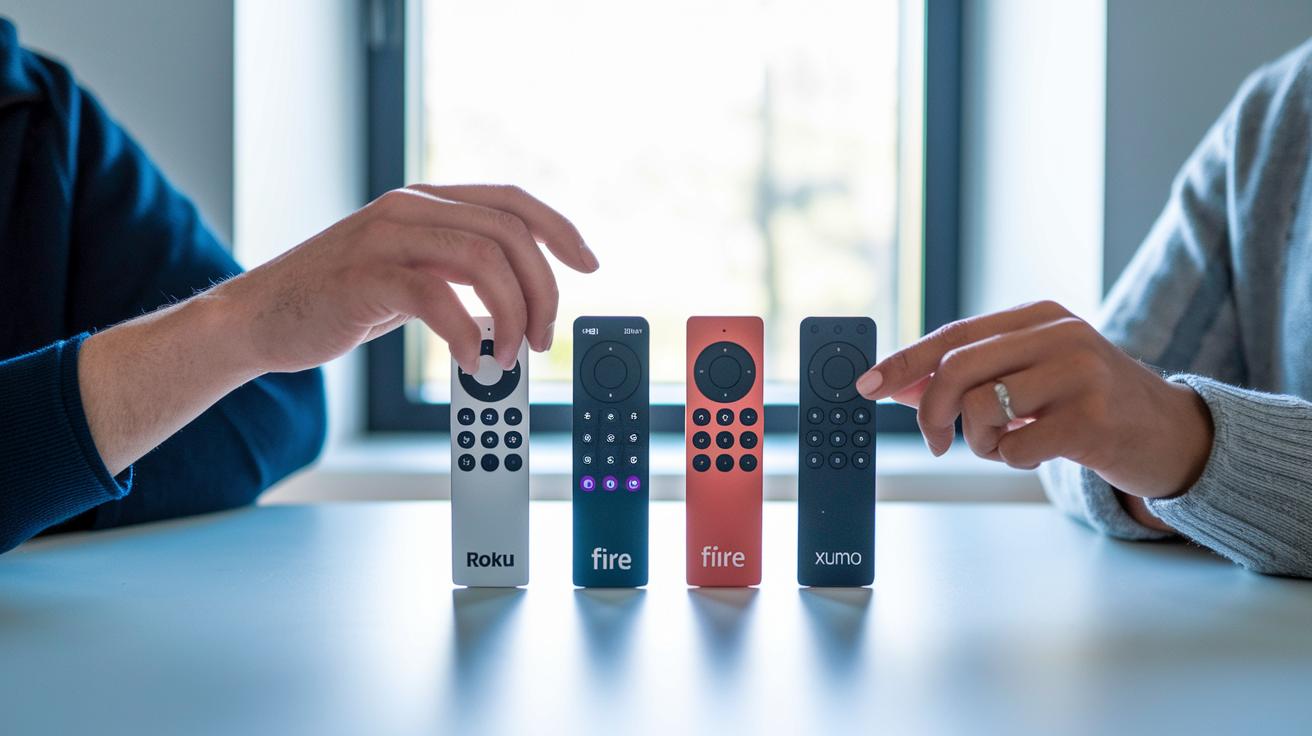
We lined up these streaming devices side-by-side to see how each one stacks up in a busy market. This helps us quickly spot which gadget packs the best value, speed, and ease of use. It’s like comparing apples to apples, especially when you weigh features alongside price.
Roku comparison
Roku really shines with its huge app library that many users love. Most apps load in about 5 seconds, making it feel fast compared to Xumo, which takes around 15 seconds. And while Xumo comes free with Xfinity Internet, saving you money, Roku wins on offering a wider range of content.
Fire TV Stick critique
The Fire TV Stick is a favorite because it loads fast and has a smooth interface. Xumo doesn’t quite keep up. It tends to be slower, which can make switching between apps a bit of a drag for those who need quick responses.
Apple TV contrast
Apple TV 4K brings fancy features like quick-look previews and a sleek remote that feels premium. Xumo, on the other hand, skips these extras and comes with a much lower price, free with Xfinity Internet versus about $179 for an Apple TV 4K. So, if you’re watching your spending, Xumo might be a smart pick.
Overall, the Xumo Stream Box is a good deal for those who want a mix of shows and movies without breaking the bank, even if it feels a bit slower than some of the big names.
Technical Specification Rundown and Performance Metrics
This part is a handy quick reference that brings together key technical details along with reviews of design and the user interface. If you want to learn more about how smooth or quick things feel, check out the related sections.
| Spec | Details |
|---|---|
| Resolution | 2160p at 60 Hz |
| Ethernet Port | 1 x Gigabit LAN |
| Boot Time | About 5 seconds to power on |
| App Load | Roughly 15 seconds to become responsive |
| Performance Score | 3 out of 5 |
These numbers show how our device stacks up against the competition. Top gadgets might boot faster and react more quickly, but this cheat sheet gives you the clear, no-frills info you need.
Pricing, Additional Fees, and Value Assessment

The Xumo Stream Box sports a clear price of $60, and if you’re with Xfinity Internet, it’s free. This makes it a smart pick for anyone looking to shrink their cable bill. Compared to pricier options like the Apple TV 4K (around $179) or some Roku models that can easily cost more depending on your choices, this box really stands out as a wallet-friendly option. Still, the true value comes down to how you plan to use it.
Now, if you lean toward premium content, you might start seeing extra costs adding up. Services like Netflix, Disney+, Hulu, and Max need their own monthly subscriptions (think of these as extra tickets for your favorite shows). So even though you dodge the high price tag of many smart TV boxes, be ready for some extra charges if you want a broader selection of shows and movies. Overall, the pricing setup and the added service fees make the Xumo Stream Box a strong value for budget-minded users who don’t mind paying a little extra for more content.
Troubleshooting Common Glitches and Firmware Update Insights
Some users say the device might drop its signal or take extra time to launch apps. When the Xumo Stream Box doesn’t work as expected, you may notice slight lag or quick pauses in your streaming. The good news is that overheating isn’t a problem, the box stays cool with regular use. Sure, glitches can be annoying, but a few simple fixes can quickly get you back to your favorite shows.
- Restart the device to clear up any small software hiccups.
- Switch to an Ethernet cable if you’re on Wi-Fi for a steadier connection.
- Check your Wi-Fi signal strength to rule out any connection issues.
- Clear the app cache to remove stored data that might be slowing things down.
To keep your device running smoothly, it's a smart move to check for firmware updates regularly. Just head to the settings on your Xumo Stream Box and tap the firmware update option. The device will search for the latest fixes and improvements. Updating every few months helps iron out any issues and keeps everything stable. This proactive step makes sure your streaming stays reliable and enjoyable.
Assessing User and Expert Ratings for the Xumo Stream Box

The Xumo Stream Box scores an overall 3.6 out of 5. Its performance gets a 3, while both features and design impress with a 4 each. Setup, though, falls short with just a 2. Think of it like dining at a stylish restaurant with a tasty menu, but with such slow service, you end up feeling a bit let down.
Feedback from BBB and online forums points out a couple of recurring issues. Lots of users mention that the setup can be tricky and the interface feels slow. Even though the free offer with Xfinity brings some charm, the clunky installation and occasional lag can really get on your nerves during day-to-day use.
Reddit and other social platforms echo these grumbles, too. People love snagging a free device when they already have Xfinity Internet, but many say the remote control feels clumsy and awkward. This mix of upsides and downsides gives potential buyers a clear picture of what they might face.
Final Words
In the action, we saw the Xumo Stream Box delivering crisp 2160p video playback and a broad channel mix through free platforms like Pluto TV and Tubi. Our xumo stream box review covered everything from connectivity options to design quirks and setup steps. We compared its value against other streaming devices while noting minor delays in app responsiveness. Overall, it’s a smart pick for those who appreciate practical streaming without heavy expenses. Here’s to enjoying quality viewing every day!
FAQ
What does the Xumo Stream Box do?
The Xumo Stream Box streams free channels and supports paid apps, offering 2160p visuals with both Wi-Fi and Ethernet connectivity, and works with providers like Spectrum TV and Xfinity Stream.
What channels do you get with the Xumo Stream Box?
The Xumo Stream Box gives you access to free channels via Xumo Play, Pluto TV, Tubi, and Freevee, while also supporting premium apps if you subscribe separately.
How much does Xumo cost a month?
The service is free with an Xfinity Internet subscription, though accessing premium channels may require additional subscription fees paid directly to the content providers.
What is the Xumo Stream Box 4K?
The Xumo Stream Box 4K supports streaming in 2160p at 60 Hz, delivering sharp images and smooth motion when paired with a compatible high-definition TV and a strong connection.
How does the Xumo Stream Box compare to Roku?
The Xumo Stream Box offers a similar free content mix to Roku but tends to have slower app load times and a less intuitive interface, making Roku a stronger choice for those seeking speed and efficiency.
How does the Xumo Stream Box compare to Firestick?
The Xumo Stream Box competes with Firestick by providing free, ad-supported channels; however, it often lags in performance and remote design when compared to Firestick’s more responsive user experience.
What do user reviews say about the Xumo Stream Box?
Reviews on Reddit, YouTube, and other sites highlight the affordability and broad channel lineup, while also pointing out issues like slow interface responses and a less effective remote design.
What complaints have users raised about the Xumo Stream Box?
Users have noted slow app load times, a less responsive remote control, and an occasionally sluggish interface, which can affect the overall streaming experience despite its free content offer.